English
 Chinese
 Vietnam
 Español
 Pусский
 Français
 العربية

A contract printer in Vietnam took on a rush order for branded T‑shirts, followed by a job printing conductive circuits onto glass panels for touch sensors. They needed two completely different printing presses. The T‑shirt job required a soft, absorbent substrate. The glass job required precise registration and durable, scratch‑resistant ink. A conventional screen printer would not transfer from one substrate to the other without major reconfiguration.
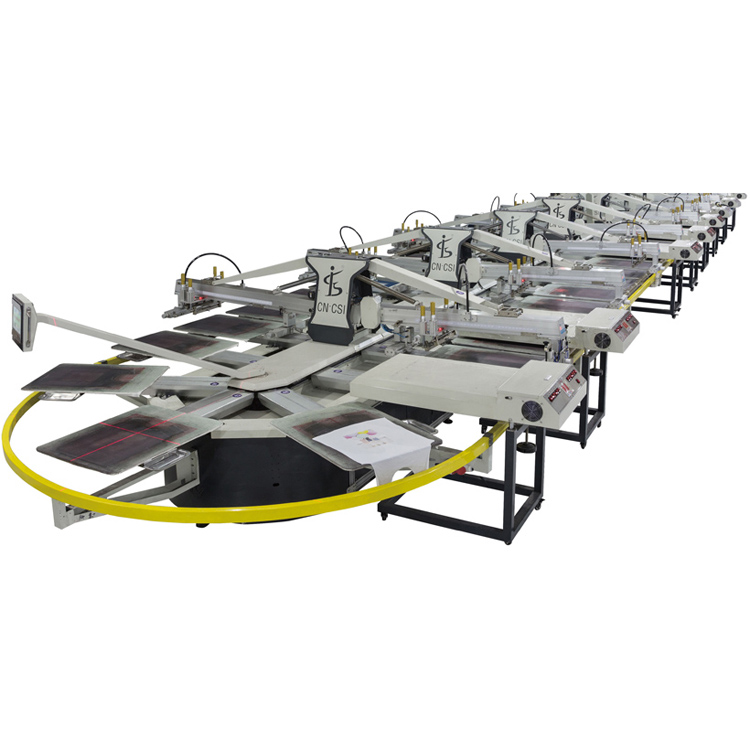
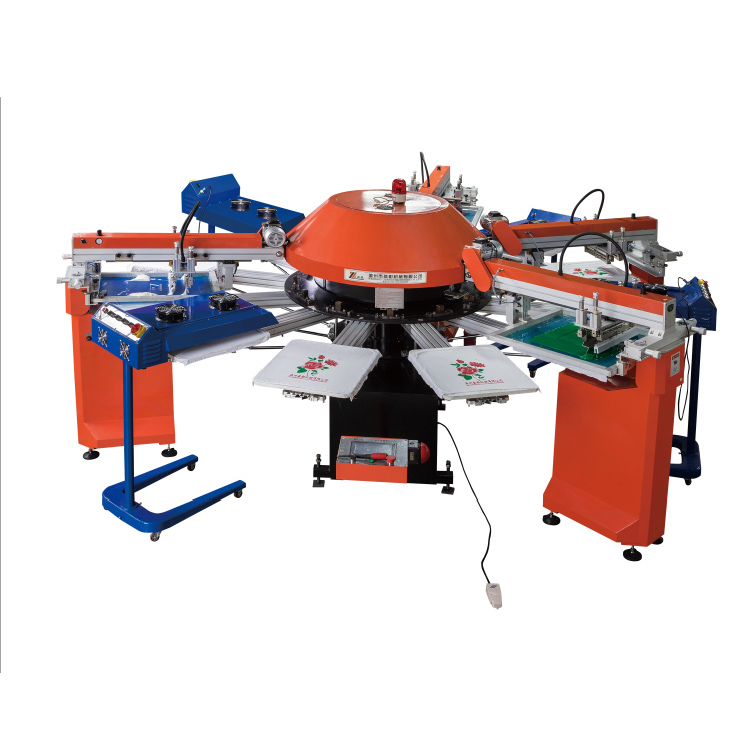
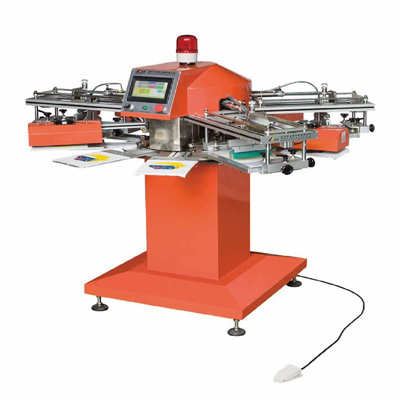
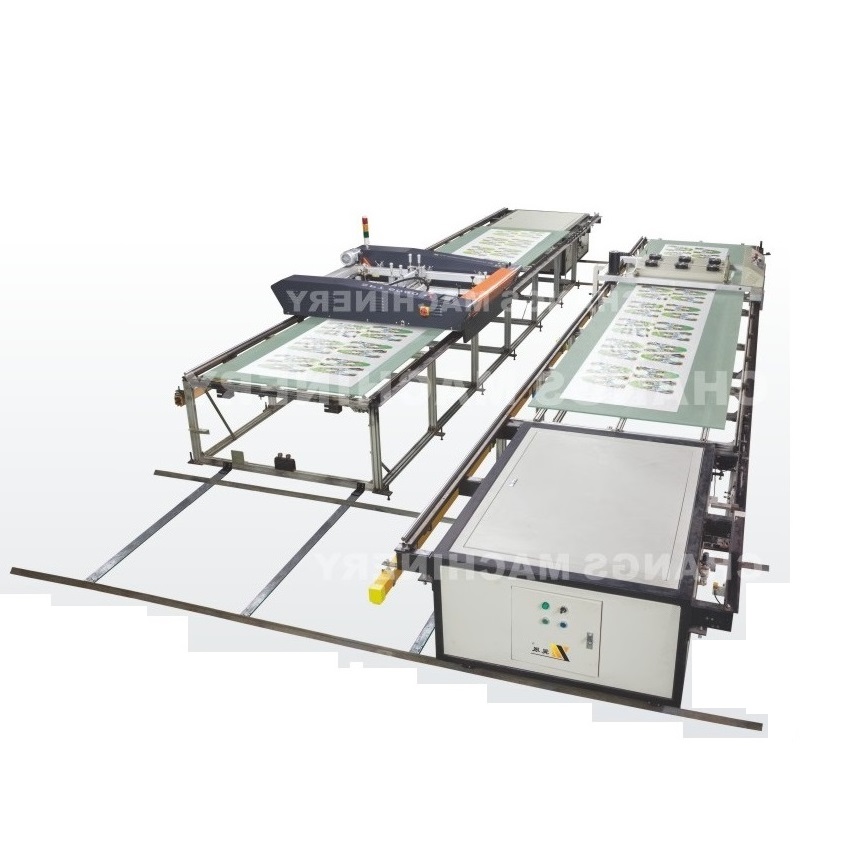
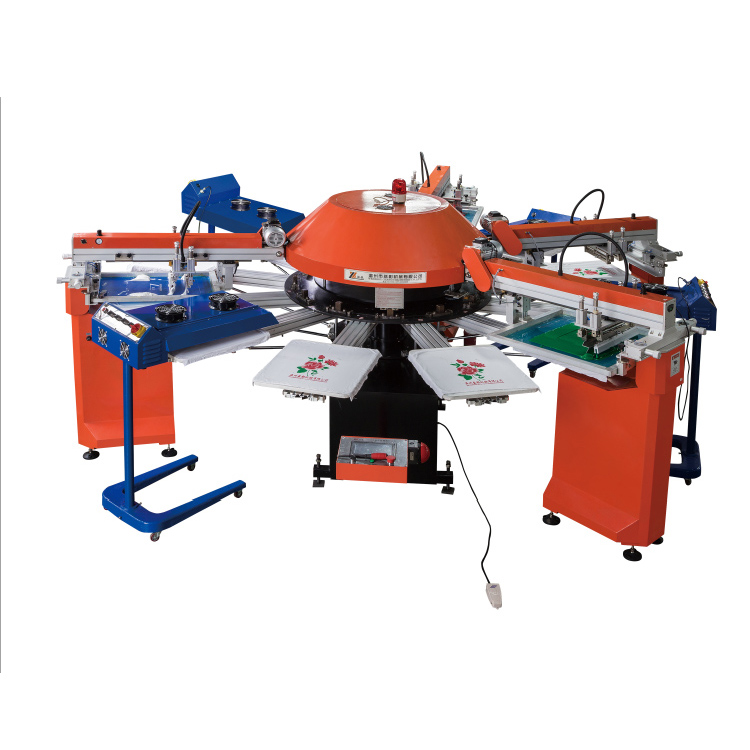
The solution was a printing machinery platform built around rotary screen technology. The SPG‑II automatic rotary screen printing machine prints on textiles, glass, electronics, and packaging materials using the same press. The key is the interchangeability of the screen mesh and the ability to adjust squeegee speed, pressure, and snap‑off distance for each substrate.
A printing machinery system designed for multiple substrates must balance speed, registration accuracy, and material handling. The SPG‑II series prints textile items such as T‑shirts, pajamas, fabric, and nonwoven bags, as well as rigid materials including fiberboard, glass, PVC sheet, ceramic, and marble. The maximum printing size for flat substrates is 720×500mm, and the machine operates at a printing speed of 0.3‑1.5 metres per second. Substrate thickness ranges from 0.1mm to 6mm, and material weight spans 120‑3000 gsm. This guide explains how rotary screen technology transfers ink through a mesh onto almost any surface, why the squeegee speed must be adjusted for ink viscosity and substrate absorbency, and where the vacuum registration system prevents misalignment on non‑porous substrates.
Rotary screen vs. flatbed screen: why a cylinder mesh prints faster and wastes less ink than a rectangular frame
A flatbed screen press uses a rectangular mesh frame. The squeegee pushes ink across the frame, the frame lifts, and the substrate advances. The process repeats. The screen must be tensioned evenly across the entire frame, and the ink left on the frame between prints is waste.
A rotary screen printing machine uses a seamless nickel mesh cylinder. The squeegee is inside the cylinder, pressing ink outward through the mesh onto the substrate. The cylinder rotates continuously, so there is no frame lift and no pause between prints. The ink is fed continuously through the cylinder, so waste is minimal. For a high‑volume T‑shirt job, a rotary press outruns a flatbed press by 2‑3 times.
The rotary screen also maintains registration better over long runs. A flatbed screen can stretch over time, causing the printed image to drift. The nickel mesh cylinder retains its shape through thousands of revolutions. For a job printing 10,000 glass panels for a touch sensor array, the rotary press holds registration within ±0.1mm from the first print to the last.
| Substrate Type | Typical Use | Key Printing Challenge |
|---|---|---|
| Textiles (cotton, polyester, nonwoven) | Apparel, promotional bags, fabric | Ink absorption, soft hand feel |
| Glass panels | Touch sensors, decorative panels, bottles | Ink adhesion, scratch resistance |
| PVC sheets, ceramics, marble | Signage, tiles, architectural panels | Surface smoothness, ink coverage |
| Paper, packaging materials | Labels, cartons, folding boxes | High speed, fine detail |
| PCBs, membrane switches | Electronics, medical devices | Registration accuracy, conductive ink |
The SPG‑II series handles all these substrates with interchangeable screen meshes and adjustable squeegee parameters. The operator saves the settings for each material type in the PLC memory.
Substrate handling: why a vacuum table keeps glass still while the screen rotates
A printing machinery that prints on rigid substrates must keep the substrate from shifting. Glass panels and PVC sheets are heavy, but they can slide on the printing bed if the squeegee pressure is high. A conventional press uses mechanical clamps that can crack glass or mar polished surfaces.
The SPG‑II uses a vacuum registration system. The substrate is placed on a perforated printing table, and a vacuum pump draws air through the holes, holding the material flat and still. The vacuum force is adjustable; for heavy glass, the operator increases suction; for lightweight paper, the suction is reduced to prevent the paper from sticking.
The vacuum system also corrects for substrate warpage. A warped glass panel will not lay flat under clamps, causing the printed image to be out of focus on the high side. The vacuum pulls the glass down, flattening it against the table. The result is a consistent print across the entire surface.
The registration of the substrate is critical for multi‑color jobs. The machine uses front and side lays with precision stops, ensuring each sheet lands in the same position for each color. For a 4‑color process print on PVC signage, the register tolerance is held within ±0.15mm.
Why the squeegee angle changes for thick substrates (H3
The squeegee pushes ink through the screen mesh. The angle at which the squeegee contacts the screen determines how much ink is deposited. For a thick glass substrate (0.1‑6mm range), the squeegee must be set at a shallower angle (60‑70°) to prevent the mesh from snapping back too quickly, which would leave an uneven ink film. For thin paper (0.1mm), a steeper angle (70‑80°) works.
The SPG‑II series allows the operator to set the squeegee angle and pressure through the PLC touch screen. The settings are stored in the job recipe, so the operator does not need to recalibrate the squeegee for each substrate.
Squeegee speed and snap‑off: why slow speed on glass prevents air bubbles and fast speed on textiles prevents bleeding
The squeegee speed controls how fast the ink is pushed through the mesh. For a smooth, non‑absorbent surface like glass, the squeegee must move slowly (0.3‑0.5 m/s). A fast squeegee will skip over the surface, leaving air bubbles in the ink film. For an absorbent substrate like cotton fabric, the squeegee can move faster (1.0‑1.5 m/s) because the fabric wicks the ink off the mesh, preventing bleeding at the edges.
The snap‑off distance is the gap between the screen mesh and the substrate after the squeegee passes. If the snap‑off distance is too small, the mesh will not release the ink cleanly, leaving a ragged edge. If it is too large, the ink will not transfer completely.
For printing conductive silver ink onto a glass circuit board, the operator sets the squeegee speed to 0.4 m/s and the snap‑off distance to 2mm. The slow speed ensures the silver particles settle into the mesh opening, and the snap‑off pulls the screen away cleanly without smearing the fine traces. For a T‑shirt job, the speed increases to 1.2 m/s, and the snap‑off distance reduces to 1mm.
The printing speed of the machine is rated at 0.3‑1.5 metres per second, adjustable through the inverter motor drive. The operator can recall the speed setting from the job recipe, eliminating trial‑and‑error setup.
Ink viscosity and mesh count: why a 40‑mesh screen works for glass but a 200‑mesh screen works for fine circuit traces
The mesh count determines how fine the printed detail can be. A 40‑mesh screen (40 threads per inch) deposits a thick layer of ink, suitable for opaque coverage on glass or for printing thick, durable coatings. A 200‑mesh screen (200 threads per inch) deposits a thin, precise layer, required for fine circuit traces on a PCB or for halftone dots on a photographic print.
The SPG‑II series accepts interchangeable nickel mesh cylinders with mesh counts from 40 to 200. Changing the cylinder takes less than 10 minutes. The operator selects the mesh based on the substrate and the ink type.
Ink viscosity also affects print quality. A low‑viscosity ink will spread under the mesh, causing the printed line to be thicker than desired. A high‑viscosity ink may not pass through the mesh at all. For glass printing, the ink is typically high‑viscosity (15‑20 Pa·s) to prevent running on the smooth surface. For textile printing, the ink is lower viscosity (5‑10 Pa·s) to allow it to penetrate the fabric fibres.
The machine’s squeegee pressure is adjustable from 0 to 500 N, set via the PLC. For high‑viscosity inks, the operator increases the pressure; for low‑viscosity inks, the pressure is reduced. The pressure setting is stored in the job recipe, so the operator does not need to recalibrate when changing substrates.
Vacuum table and registration: why the glass panel does not move when the squeegee presses down
A printing machinery that prints on rigid substrates must keep the substrate from shifting. Glass panels and PVC sheets are heavy, but they can slide on the printing bed if the squeegee pressure is high. A conventional press uses mechanical clamps that can crack glass or mar polished surfaces.
The SPG‑II uses a vacuum registration system. The substrate is placed on a perforated printing table, and a vacuum pump draws air through the holes, holding the material flat and still. The vacuum force is adjustable; for heavy glass, the operator increases suction; for lightweight paper, the suction is reduced to prevent the paper from sticking.
The vacuum system also corrects for substrate warpage. A warped glass panel will not lay flat under clamps, causing the printed image to be out of focus on the high side. The vacuum pulls the glass down, flattening it against the table. The result is a consistent print across the entire surface.
The registration of the substrate is critical for multi‑color jobs. The machine uses front and side lays with precision stops, ensuring each sheet lands in the same position for each color. For a 4‑color process print on PVC signage, the register tolerance is held within ±0.15mm.
Why the squeegee angle changes for thick substrates
The squeegee pushes ink through the screen mesh. The angle at which the squeegee contacts the screen determines how much ink is deposited. For a thick glass substrate (0.1‑6mm range), the squeegee must be set at a shallower angle (60‑70°) to prevent the mesh from snapping back too quickly, which would leave an uneven ink film. For thin paper (0.1mm), a steeper angle (70‑80°) works.
The SPG‑II series allows the operator to set the squeegee angle and pressure through the PLC touch screen. The settings are stored in the job recipe, so the operator does not need to recalibrate the squeegee for each substrate.
Applications: from T‑shirts to touch sensors to glass bottles
The SPG‑II series is used across a range of industries for its ability to print on multiple substrates with the same press.
-
Textiles: T‑shirts, fabrics, nonwoven bags, umbrellas. The rotary screen prints continuously, applying thick, opaque ink films that resist washing. For a promotional bag order of 50,000 pieces, the rotary press completes the job in a single shift at 0.3‑1.5 m/s.
-
Glass products: Glass panels for touch sensors, glass bottles, decorative mirrors, and architectural glass. The vacuum table holds the glass rigid, and the squeegee speed is reduced to prevent air bubbles. The printed ink is then cured in a downstream dryer.
-
Electronics: Printed circuit boards (PCBs), membrane switches, flexible circuits. The fine 200‑mesh screen deposits conductive ink in precise traces. Registration accuracy is critical; the SPG‑II’s front and side registration stops hold tolerance to ±0.15mm.
-
Packaging: Paper boxes, PVC sheets, plastic packaging. The rotary screen applies high‑coverage inks for vibrant branding on folding cartons and rigid boxes. For a cosmetic box job, the SPG‑II prints the base colour in one pass.
-
Ceramics and marble: Decorative tiles, signs, architectural panels. The rotary press prints thick, durable coatings that withstand firing and abrasion. The mesh count is reduced to 40‑60 to deposit a heavy ink film.
How the SPG‑II automatic rotary screen printing machine fits into a multi‑substrate print shop
Changs International has manufactured printing machinery for the industrial and packaging sectors. The SPG‑II automatic rotary screen printing machine is designed for converters who print on a mix of textiles, glass, electronics, and packaging materials. The press features interchangeable nickel mesh cylinders (40‑200 mesh), adjustable squeegee speed 0.3‑1.5 m/s, substrate thickness range 0.1‑6mm, material weight 120‑3000 gsm, vacuum registration system with adjustable suction, front and side registration stops for multi‑color work, PLC control system with touch screen HMI and job recipe storage, and maximum printing size up to 720×500mm for flat substrates.
The machine is powered by a 2.2kW motor, runs on 380V three‑phase power, and is CE certified for export.
A printing machinery that prints textiles, glass, and circuit boards on the same press reduces capital cost, floor space, and operator training. For a job shop that takes on short runs of diverse substrates, the SPG‑II’s interchangeable screens, adjustable squeegee parameters, and vacuum registration deliver the flexibility to switch from T‑shirts to touch panels in the same shift.
【Request a quote from Changs International】
Send Changs your substrate type (textile, glass, electronics, packaging), required print size, and estimated monthly volume to receive an SPG‑II configuration recommendation and a sample print video.